
How to Delete TeraBox Account Permanently (Android, iPhone & PC)
If you’ve decided to delete your Terabox account, you’re in the right place
Maybe you’re worried about data privacy. Maybe the endless ads are driving you crazy, or the upload speeds are too slow to be useful. Whatever your reason, you deserve a clear, honest, step-by-step guide not a confusing article that leaves you more frustrated than before.
The problem most users face is simple: they search for the delete option on their PC or web browser and find nothing. That’s because Terabox hides this feature inside the mobile app only and most guides online fail to explain that clearly.
This guide covers everything. You’ll learn how to back up your files, cancel your subscription, delete your account on Android and iPhone separately, fix common deletion errors, and find the best alternatives after leaving. Let’s get into it.
What Happens When You Delete Your Terabox Account?
Before doing anything, understand what deletion actually means because it’s permanent.
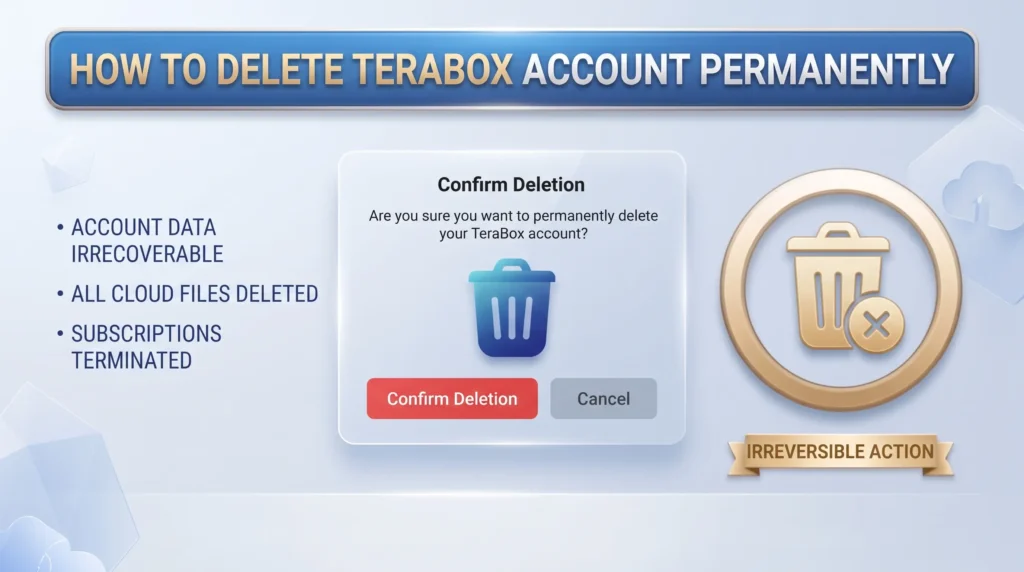
The moment your deletion is confirmed, every file stored in your Terabox cloud is wiped completely. Photos, videos, documents all of it is gone forever. There’s no undo button, no recovery option, and no way for Terabox’s support team to bring it back.
Here’s exactly what happens:
Your account is deactivated instantly, but complete removal from Terabox’s backend servers can take up to 30 days. If privacy is your main concern, that’s important to know.
Deactivate vs Permanently Delete — What’s the Difference?
This confuses a lot of users, yet no competitor addresses it clearly.
Terabox does not offer a temporary deactivation option. Unlike Instagram or Facebook where you can pause your account and return later, Terabox only gives you one choice, permanent deletion. Once confirmed, your account and all its data are gone for good.
If you’re unsure about leaving permanently, simply log out of all devices and uninstall the app. Your account stays intact until you actively choose to delete it. Only proceed with deletion when you’re completely certain.
Before You Delete: 3 Things You Must Do First
Skipping this section is the number one reason users lose important files or keep getting charged after deletion. Don’t rush.
Back Up Your Terabox Files
Every guide says “take a backup” but none explain how. Here’s exactly what to do:
Open the Terabox app, go to All Files, long-press to select your important files, and tap Download to save them to your phone’s local storage. On PC, log into terabox.com, select your files, and download them to your computer or external drive.
After downloading, open your local storage and confirm the files are actually there and accessible. This 30-second check can save you serious regret.
Cancel Your Premium Subscription First
Terabox will block account deletion if you have an active subscription. Cancel it first based on your platform:
On Android: Open Google Play Store → tap your Profile → Payments & Subscriptions → Subscriptions → find Terabox → Cancel Subscription.
On iPhone: Go to Settings → tap your Apple ID → Subscriptions → find Terabox → Cancel Subscription.
On PayPal: Log into paypal.com → Settings → Payments → Manage Automatic Payments → find Terabox or popIn Inc. → Cancel.
Notify People You’ve Shared Files With
If you’ve shared folders or files with others through Terabox, those shared links stop working the moment your account is deleted. Let those people know in advance and make sure they’ve saved their own copies elsewhere before you proceed.
How to Delete Terabox Account on Android
- Open the Terabox app and log in with your email, Google, or Facebook account
- Tap the profile icon in the top-left corner of the screen
- In the side menu, tap Settings
- Inside Settings, tap Security Center
- Scroll down and tap Deleting an Account
- Read the on-screen warnings, then select your reason for leaving
- Check the box confirming you understand the risks, then tap Account Cancellation
- Tap OK on the confirmation pop-up
- Enter your email address and password to verify your identity
- Your account is permanently deleted you’ll be logged out automatically
How to Delete Terabox Account on iPhone (iOS)
How to Delete Terabox Account on PC or Web Browser
Honest answer: you cannot delete your Terabox account from a web browser or PC desktop client. The option simply does not exist there.
If you’re a PC only user, here are your options:
Use an Android Emulator
Download BlueStacks on your Windows PC, install the Terabox app inside it, log in, and follow the Android steps above.
Use Any Smartphone
Install Terabox on a friend’s phone, log into your account, complete the deletion, then uninstall the app.
Contact Support
Email Terabox’s customer support, provide your registered email, and request manual account deletion.
How to Uninstall Terabox App After Deletion
Once your account is deleted, remove the app from your device completely.
Terabox Delete Account Not Working — How to Fix
Active subscription blocking deletion: Cancel your subscription first using the steps above, then try again.
Poor internet connection: Switch to stable Wi-Fi and retry the process from the beginning.
App bug or outdated version: Uninstall Terabox, restart your phone, reinstall the latest version, log back in, and try again.
Forgot your password: Use the Forgot Password option on the login screen to reset via your registered email, then proceed.
Nothing works: Contact Terabox customer support directly and request manual deletion with your registered email address.
Why Are People Deleting Terabox? (And Is It Safe?)
The most honest answer: many users delete Terabox because of data privacy concerns and those concerns are valid.
Terabox is operated by popIn Inc., majority-owned by Baidu, one of China’s largest technology corporations. Terabox’s own privacy policy confirms their servers scan uploaded content meaning your files are not fully private. For users who prioritize data security, this is a dealbreaker.
Beyond privacy, the most common complaints are slow upload and download speeds, excessive advertisements, a 4 GB file size limit, and a cluttered interface.
Best Terabox Alternatives
| Service | Free Storage | Best For | Privacy |
|---|---|---|---|
Google Drive | 15 GB | Everyday use | Good |
MEGA | 20 GB | Maximum privacy | Excellent |
OneDrive | 5 GB | Windows users | Good |
pCloud | 10 GB | Lifetime plans | Very Good |
Dropbox | 2 GB | Team collaboration | Good |
MEGA is the top choice for privacy true end-to-end encryption that even MEGA cannot access. Google Drive is the easiest switch for most everyday users.
Frequent Ask Question
Can I recover my deleted Terabox account?
No. Deletion is permanent and irreversible. Neither you nor Terabox support can restore a deleted account or its data.
Can I reuse my email after deleting Terabox?
Yes. Once fully deleted, your email is released and can be used to create a fresh Terabox account.
How long does Terabox take to delete data?
Your account deactivates instantly, but full data removal from their servers takes up to 30 days.
Is Terabox a Chinese app?
Yes. It is operated by popIn Inc., majority-owned by Baidu, a Chinese technology company.
What happens to shared files after deletion?
All shared links stop working immediately and recipients lose access to your shared content.
Can I delete Terabox from PC only?
No. Deletion requires the mobile app. Use BlueStacks emulator on PC as a workaround.
Conclusion
Deleting your Terabox account takes less than five minutes once you know the steps. Back up your files, cancel your subscription, open the mobile app, navigate to Security Center, and confirm your deletion.
If you’re switching for privacy reasons, MEGA is your strongest next step. For general everyday use, Google Drive is hard to beat. Either way, you’re now fully equipped to complete this process confidently without losing a single important file.